App · File Manager
Files that follow
your records.
worksby.design's File Manager is a file library your customers use on your website, with every document filed against the HubSpot records it belongs to — not in a folder tree nobody maintains.
Available through selected HubSpot partners. Ask your HubSpot partner about File Manager — they install it on your portal, set it up with you and support it.
01 The walk-through
One upload, every record it belongs to.
A customer uploads a report once and it is filed on her contact, her company and her ticket; a colleague at the same company finds it, your team sees the same links in HubSpot, and an admin decides where each file is stored.
Recorded on a HubSpot demo portal, with invented people and companies. English captions — switch them on in the player.
02 What it does
The CRM is the folder tree.
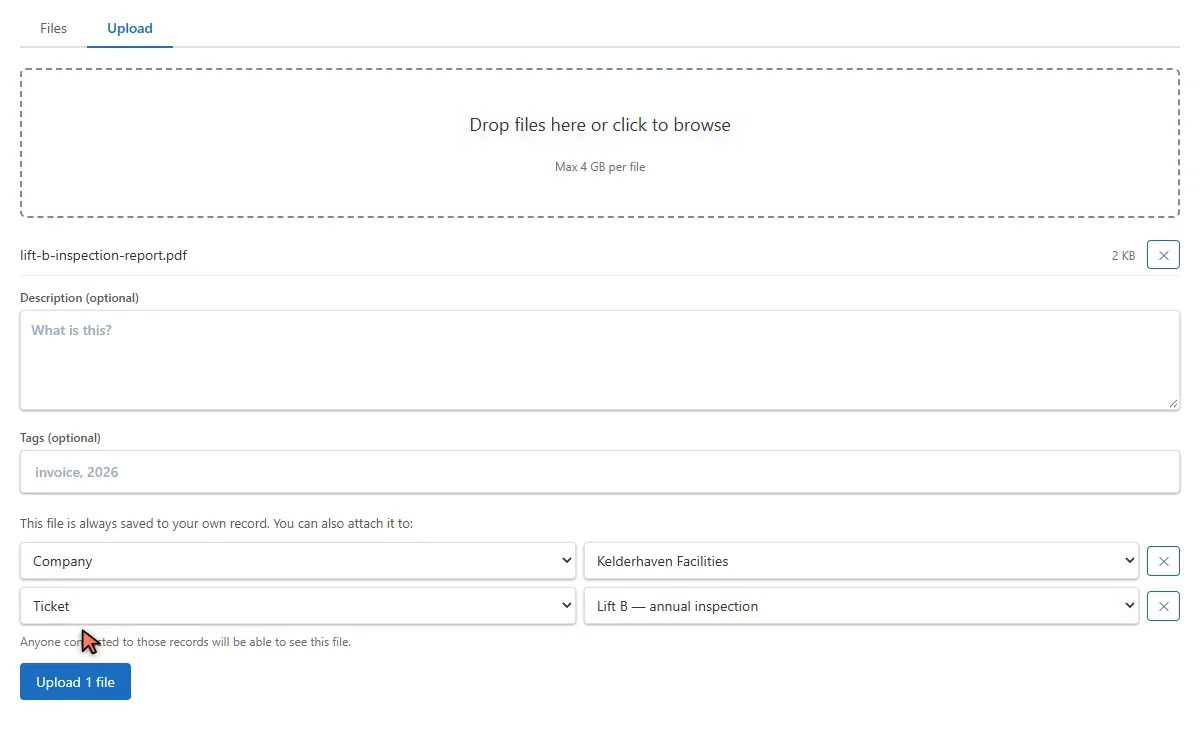
01 — Upload once
One upload, filed on every record.
A signed-in customer uploads a document once on your website, and it lands on every record it belongs to — her contact, her company, her ticket — without anyone filing it by hand.
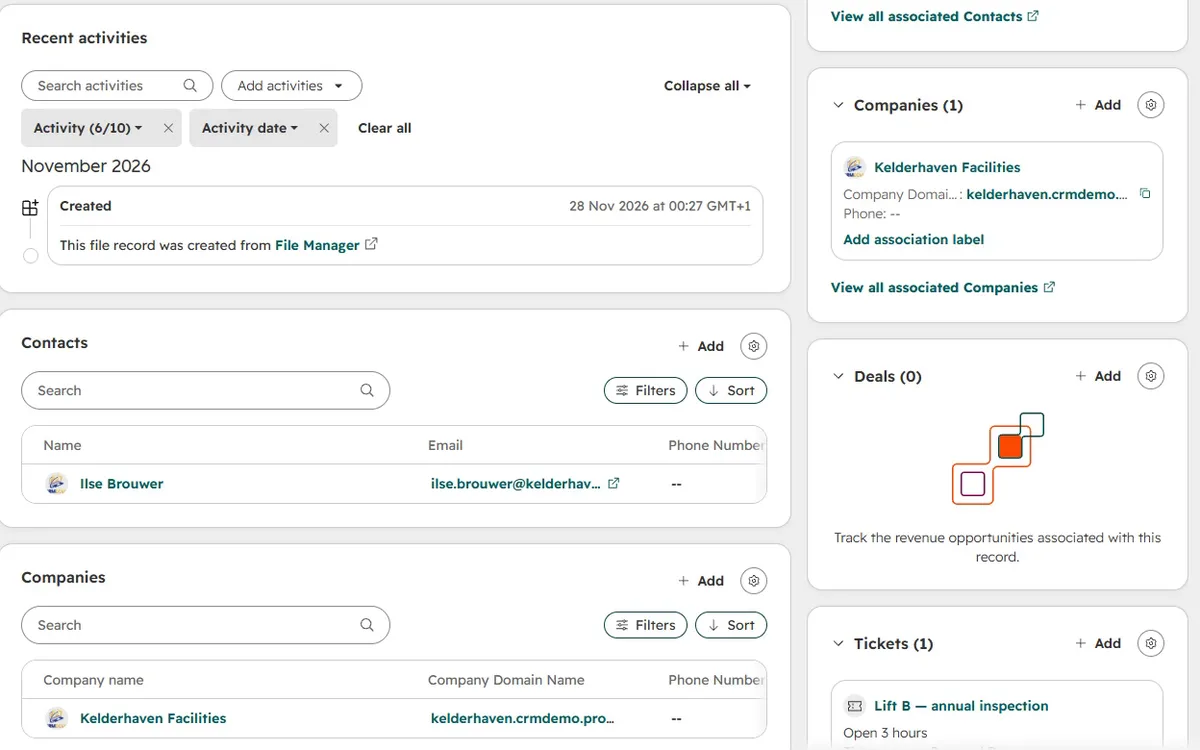
02 — Each sees their own
Colleagues share company files; yours stay yours.
Who sees a file follows its links: a colleague at the same company sees the company's files, while each person's own files stay theirs. Your team sees the same links on the file's record in HubSpot.
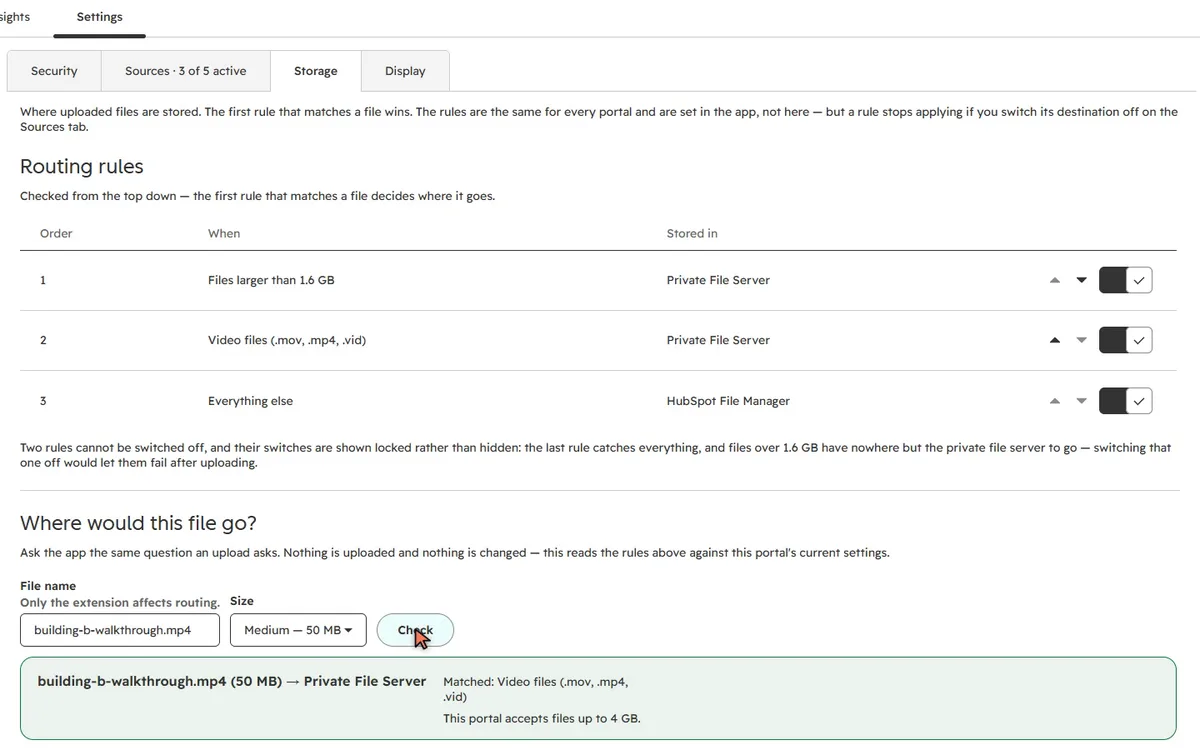
03 — Storage is a rule
Where each file goes, set once.
An administrator sets once where files go — ordinary documents to HubSpot Files, videos and very large files to the private file server — and the library shows one list whatever the storage.
What it is not: a document management system. No versioning, check-out, approval workflow or retention rules — it previews files, it does not edit them.
03 Works with
A library on its own, or a tab in the portal.
File Manager runs as a module on your own website pages, behind the membership you already use.
The portal's Documents tab is File Manager: a member sees her own and her company's documents in the same place as her tickets and events.
A folder on your own Google Drive can be one of the library's sources, read and swept on a schedule as well as on demand.
04 Where your data is
Where each file is stored is a rule you set.
File Manager keeps the record of every file in your HubSpot portal. The file itself is stored where your administrator's rules send it.
In your portal
- A record for every file — a custom object in your own portal — linked to the contacts, companies and tickets it belongs to
- Ordinary documents, in your portal's HubSpot Files
- Who may see a file, worked out from those CRM links — who the visitor is gets checked against the CRM before any file is listed
Outside your portal
- Videos and files above the size threshold go to a private file server outside HubSpot; an administrator can switch it off, after which videos go to HubSpot Files and the very largest files are refused
- Files from a Google Drive source stay in your own Drive
- Office documents are previewed through Microsoft Office Online, with a short-lived link bound to that one file
- The app runs on worksby.design's service at
api.worksby.design, which holds your portal's access token, encrypted
05 Who does what
Three parts, three owners.
worksby.design
Builds the app, publishes it and keeps it working as HubSpot's platform versions move.
Your HubSpot partner
Installs it on your portal, sets it up, adapts it where your process needs it, trains your team and supports you.
You
Own the portal and every record in it. The app's records stay in your CRM.
Ask your HubSpot partner about it.
File Manager is available through selected HubSpot partners, who install it on your portal, set it up with you and support it.
The reference at /docs/filemanager covers the storage backends, how a member is bound to their files and the endpoints. Facts on this page checked .