App · Members Portal
One place for every
customer.
worksby.design's Members Portal gives each of your customers one signed-in place on your own website — their tickets, their documents, their events — built on the HubSpot records your team already keeps.
Available through selected HubSpot partners. Ask your HubSpot partner about the Members Portal — they install it on your portal, set it up with you and support it.
01 The walk-through
She asks, finds and goes.
A customer signs in to her portal, replies to your team's answer on her question — and your team sees the same conversation on the ticket in HubSpot — then finds her documents and her event ticket, one tab away.
Recorded on a HubSpot demo portal, with invented people and companies. English captions — switch them on in the player.
02 What it does
Three things a customer does there.
Customers sign in with your website's own HubSpot membership, so there is no second password system to keep.
01 — Ask
Her reply lands on the ticket in HubSpot.
She reads your team's answer to her question and replies in the same conversation. Your team sees the question, the answer and her reply on the ticket in HubSpot's help desk — nothing is copied between two systems.
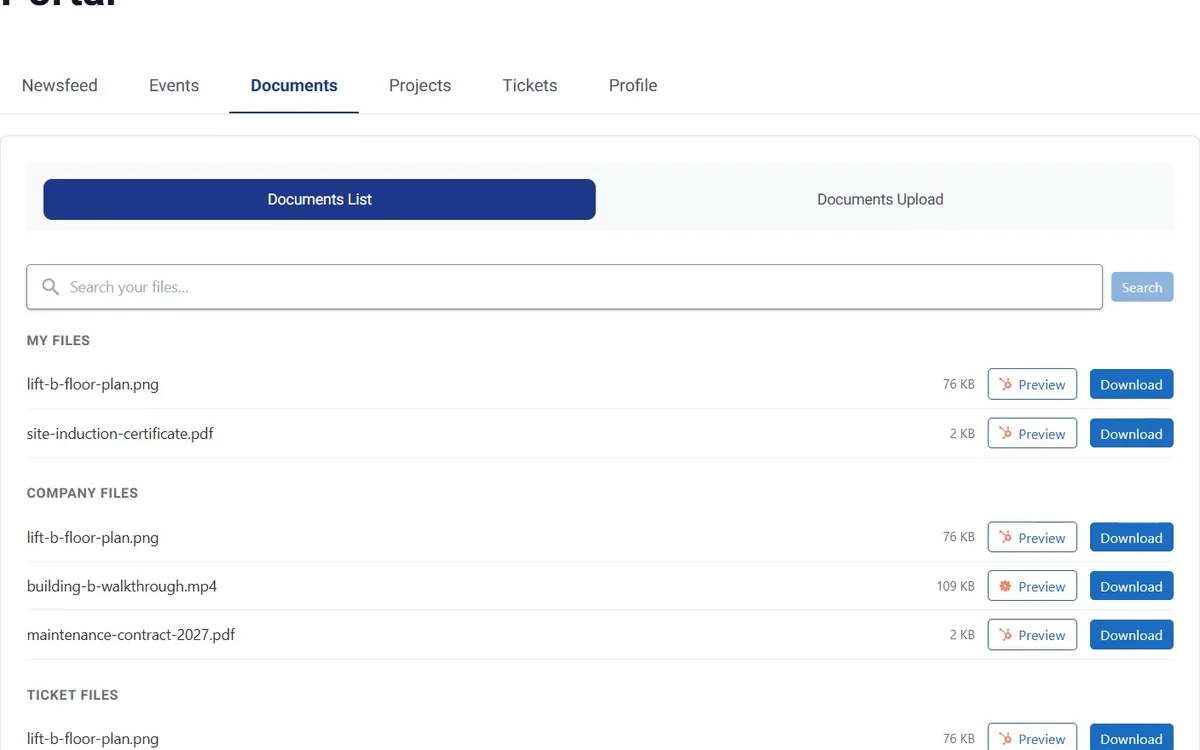
02 — Find
Her documents and her company's, in one place.
She finds her own documents and her company's, in the same portal. A document filed on her ticket shows with the ticket too.
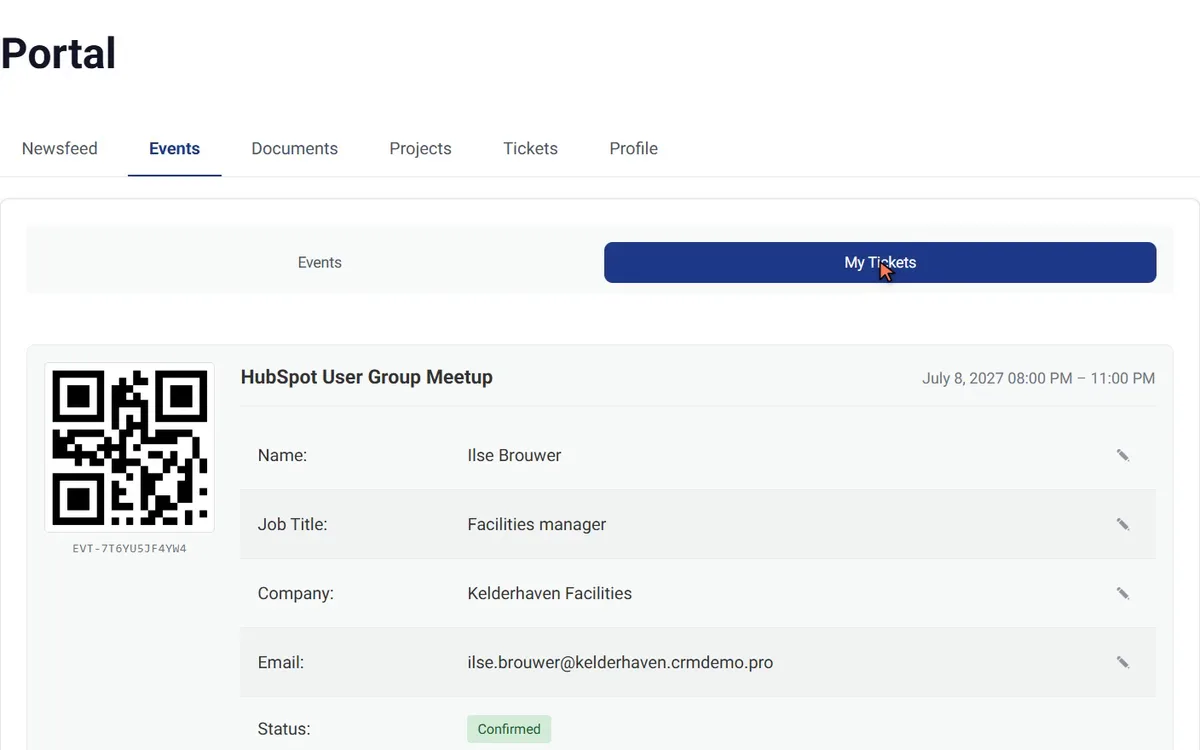
03 — Go
Her event ticket, ready at the door.
She has her event ticket ready to show at the door, with her name and company taken from her contact record.
03 Works with
Each tab is an app of its own.
The Members Portal is the place; the tabs come from apps that each do one job. Each tab can be switched on or off in the portal's settings.
Tickets
The Members Portal's support tab. A signed-in member lists, opens and creates her own tickets or her company's, reads your team's answer and replies — and every ticket is a real conversation in HubSpot's help desk, linked to her contact and her company.
- A member replies on tickets that were opened through the portal; a ticket that started elsewhere shows without a reply box
- Live on the demo portal since ; not yet run on a customer's data
File Manager
Her own and her company's documents, filed on the records they belong to.
Events
The events she is registered for, and the ticket she shows at the door.
Hospitality
A guest who has a member login sees her own loyalty wallet as a tab, with no link or code to enter. Built, and proven drawing the signed-in member's own wallet on a portal page; not yet shown working inside the Members Portal.
04 Where your data is
Built on records in your portal.
The Members Portal shows what is already in your HubSpot portal. The app itself runs on worksby.design's service, which keeps a few things of its own.
In your portal
- Your members' contact and company records
- Their tickets and every message on them, in HubSpot's help desk
- The records behind the Documents and Events tabs — each app's own, in your portal
- Sign-in through your website's HubSpot membership — no second password system to keep
Outside your portal
- The portal's pages and its settings come from worksby.design's service at
api.worksby.design, which holds your portal's access token, encrypted - Tickets keeps a map there that links each help-desk conversation to its ticket — ids, not messages
- Documents are stored by File Manager's rules — where File Manager keeps files
05 Who does what
Three parts, three owners.
worksby.design
Builds the app, publishes it and keeps it working as HubSpot's platform versions move.
Your HubSpot partner
Installs it on your portal, sets it up, adapts it where your process needs it, trains your team and supports you.
You
Own the portal and every record in it. The app's records stay in your CRM.
Ask your HubSpot partner about it.
The Members Portal, with its Tickets add-in, is available through selected HubSpot partners, who install it on your portal, set it up with you and support it.
The Members Portal and Tickets have no published guide yet; the File Manager and Events references cover the tabs they add. Facts on this page checked .