
Free tools
Download it. Read
the source.
Five free downloads for HubSpot administrators and developers — a CMS theme, quote modules and three CRM cards — each under the Apache License 2.0, with its source in a public git repository.
01 Theme and quote modules
For your website and your quotes.
Theme Fasterrr →
A performance-first HubSpot CMS theme with no legacy code: system fonts by default, one small JavaScript bundle, no build step. Ships with the demo-flow and business-case page modules and the tooling that builds pages with them.
- Modules and templates for pages, landing pages, the blog and the system pages
- System type stacks — no webfont unless you choose one
- Page toolkit in
scripts/: build pages from a JSON contract, checked before publish
Quote Module Collection
Custom-coded modules for quote templates: a launch-ready quote template, a custom line item module with per-module filters, a polished example module, and a debug utility.
- Launch quote template modules
- Custom line item module with per-module filter controls
- Debug module — a development and QA utility
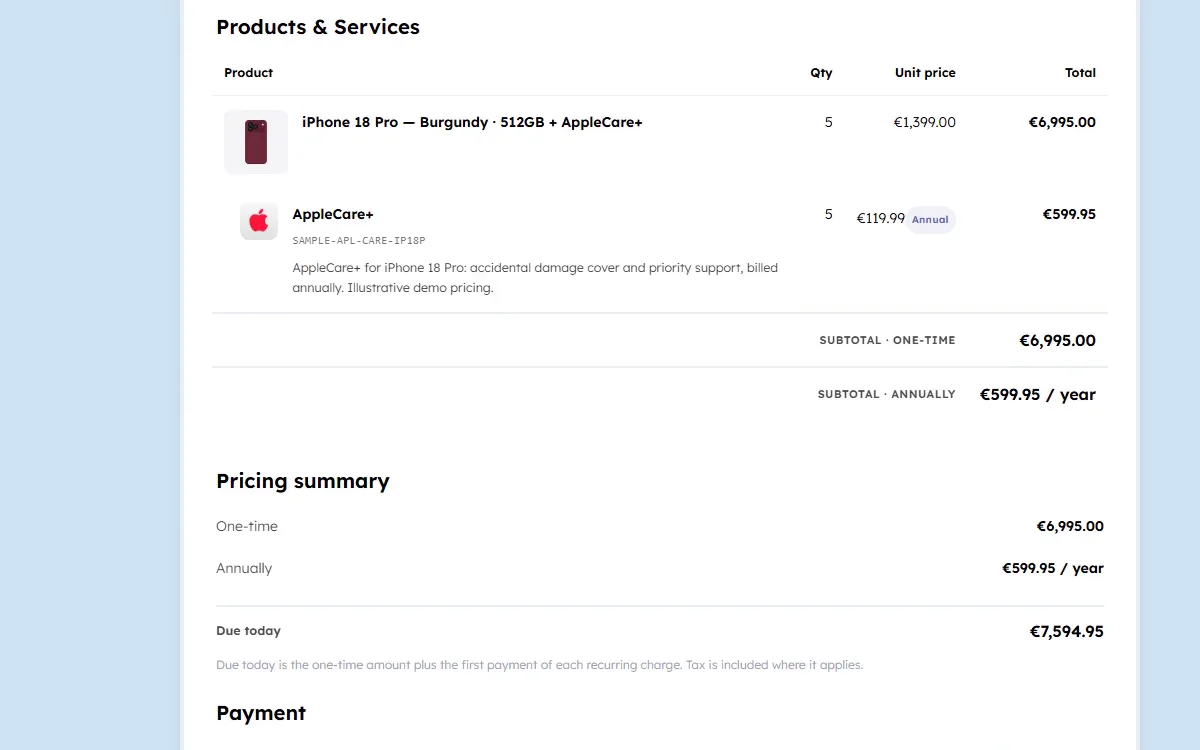
- See it on a quote: the Product Configurator walk-through — a configuration rolled up into one priced line with its picture
02 CRM cards — UI extensions
Cards on the record itself.
Product Configurator
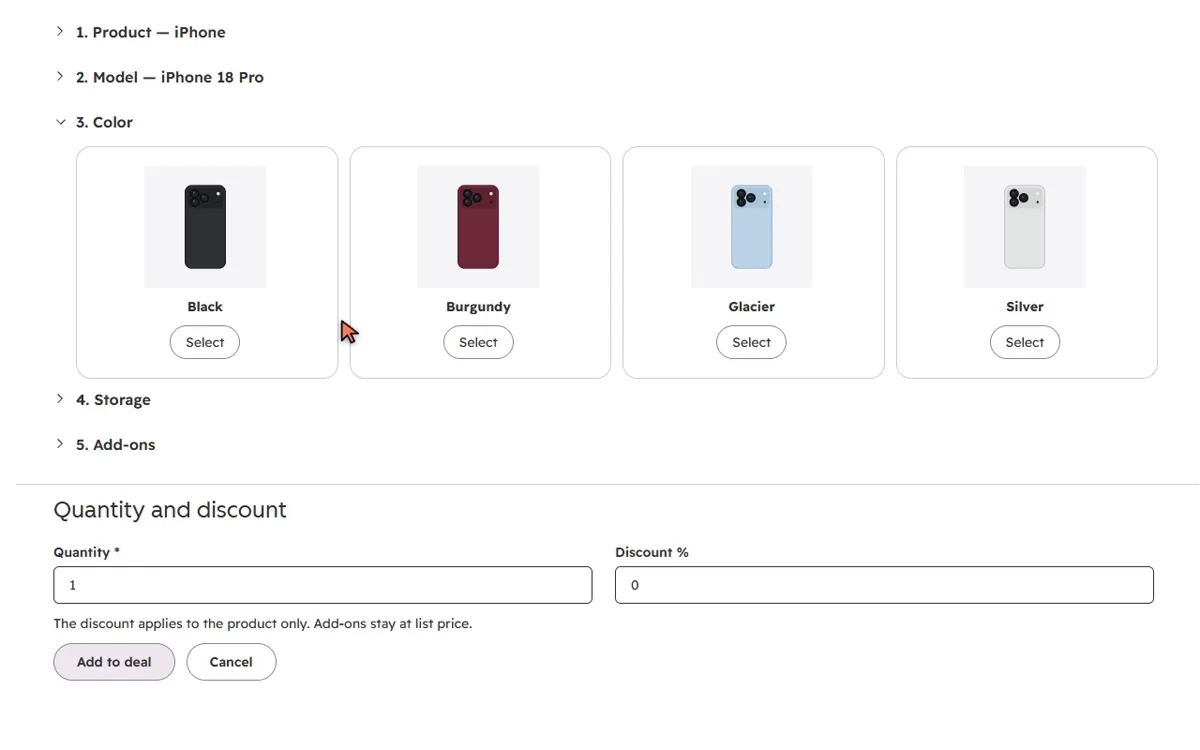
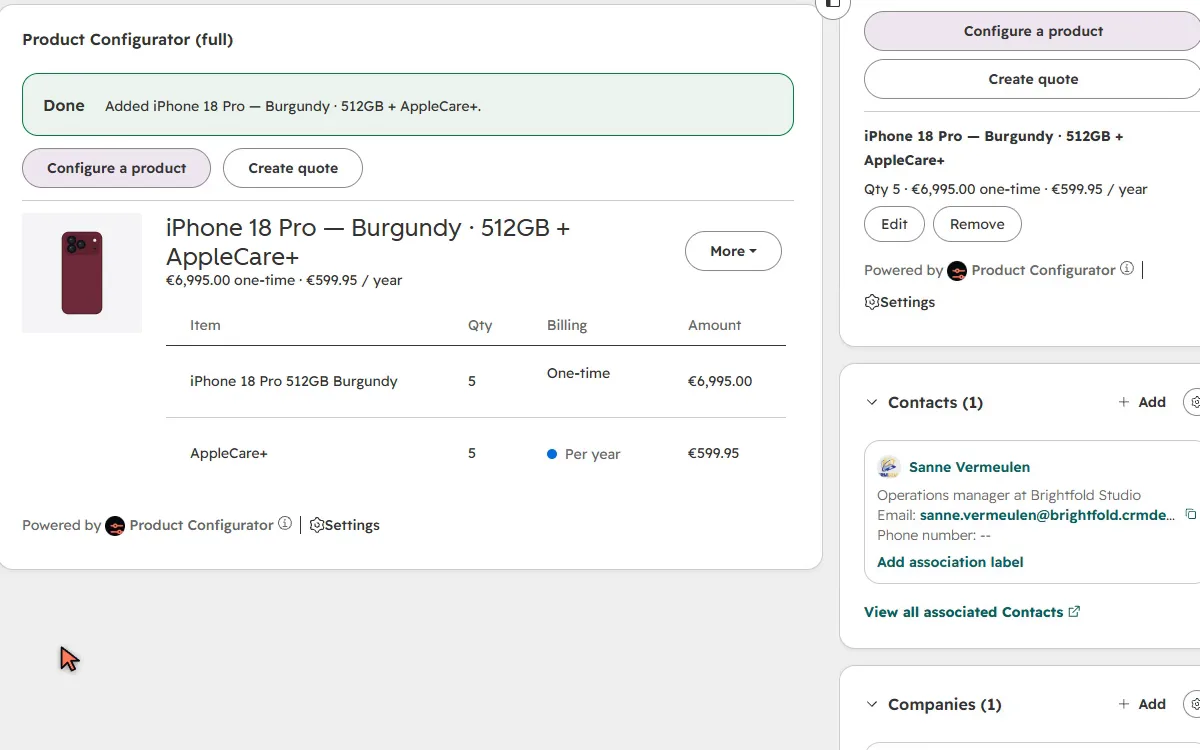
Let a rep build the exact product on the deal — product, model, colour, storage, add-ons — by clicking pictures instead of hunting through a product library. One guided panel, a live price in the footer, and a single click from the finished configuration to a quote that is already filled in.
- Guided, step-by-step panel — each answer closes its step and opens the next, with picture tiles for products, models and every colour at once
- Driven entirely by your product library: one product per sellable variant and four properties. A new product line is data, not code
- One-click quote, draft or published — buyer contacts, signer and seller contact are filled in for you, and a quote that cannot be published yet becomes a draft that tells you what to add
- Two cards from one app: a compact one for the deal sidebar, a full one for the middle column with images and a line table whose columns you choose
- Discount limits, a no-discounting switch, quote template and expiry — all on a native settings page, no redeploy
- Try it with an Apple-style sample catalogue of 67 products with images, added and removed from the settings page
- Pairs with the free Quote Module Collection — each configuration rolls up into one priced line with its product picture on the quote
A project you upload.
Each CRM card is a HubSpot developer project: unzip it, sign in with the HubSpot CLI as a Super Admin and run hs project upload. INSTALL.md at the root of every zip has the steps.
- Maps & Streetview needs an Enterprise account and your own Google Maps key
- Product Configurator saves its settings on Enterprise; without it, it runs on its defaults
- UI Games needs nothing to configure
Maps & Streetview
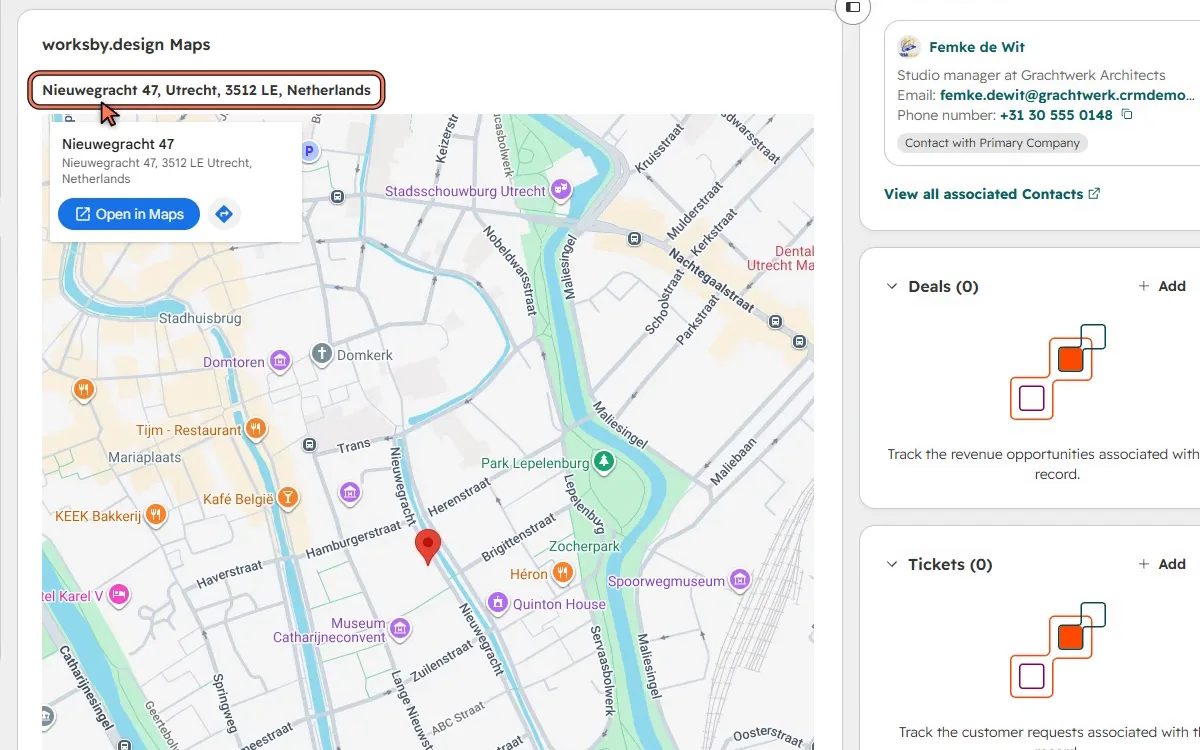
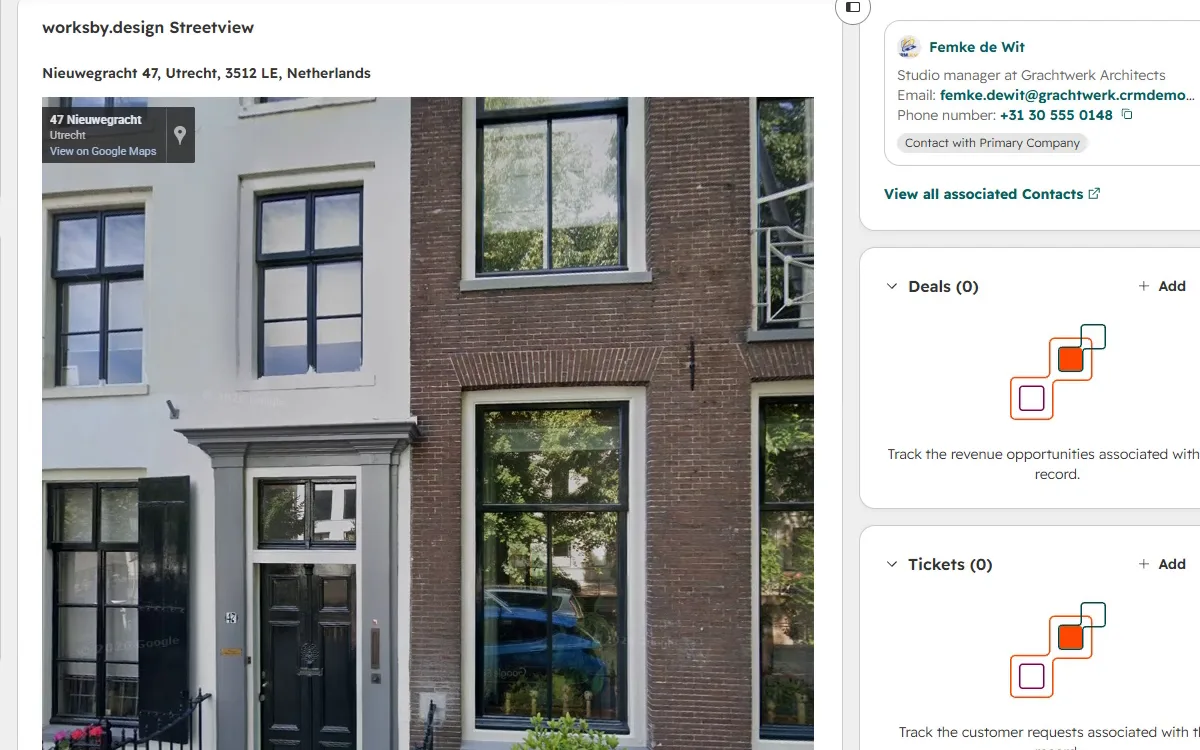
See where a customer is, and what the building looks like, without leaving the record. Two cards — a live Google map and Street View — both take the address from the record automatically.
- Google Maps card — the live map inside the card: pan, zoom, or open it larger
- Street View card — the building itself, facing the front door when Google knows the exact address
- Use either card on its own or both together; each can show the live view or a picture that opens it
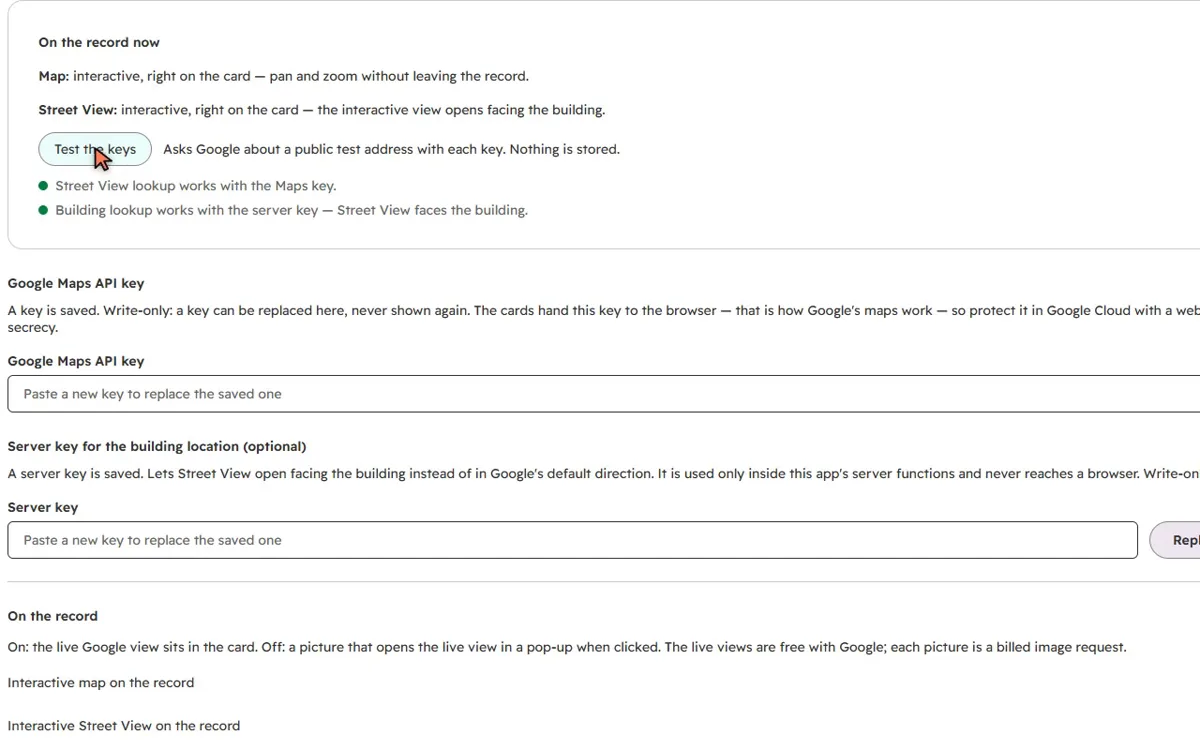
- Your own Google Maps key, write-only in the app's settings, with a Test the keys button
- Works on company and contact records
UI Games
Five classic arcade games — Snake, Breakout, Pong, Space Invaders and Pacman — playable inside your CRM. No CRM data is read or written, and there is nothing to configure.
- Five games, each its own card tab
- Rendered entirely in the browser — no CRM data, no external calls, no API keys
- Works on contact, company and deal record pages
- Quote module too — add a playable game via a line-item SKU (
UIgames-pacman); PDFs show a static fallback - On-screen controls with a Start button — no keyboard needed
03 Source and licence
A clone and a download never differ.
Every zip carries LICENSE, NOTICE, README.md and INSTALL.md at its root. The same five packages are read-only git repositories at https://worksby.design/git/<name>.git — theme-fasterrr, quote-module-collection, product-configurator, maps-streetview, ui-games — rebuilt by the same publisher that builds the zips. Questions about a download go through the contact form.