App · Commerce
The sale is in HubSpot
before the money.
worksby.design's Commerce app puts the webshop, the quote and the payment in HubSpot itself — carts, quotes, orders and payments on HubSpot's own records, with prices from your product library.
Available through selected HubSpot partners. Ask your HubSpot partner about Commerce — they install it on your portal, set it up with you and support it.
01 The walk-through
A cart that is a record first.
A buyer orders 24 tiles in a webshop on a HubSpot website, the cart is created in HubSpot before anyone pays, and the money side is one settings page. No payment is made in the video.
Recorded on a HubSpot demo portal, with invented products and buyers, the payment provider in test mode. English captions — switch them on in the player.
02 What it does
Shop, quote and payment on one portal.
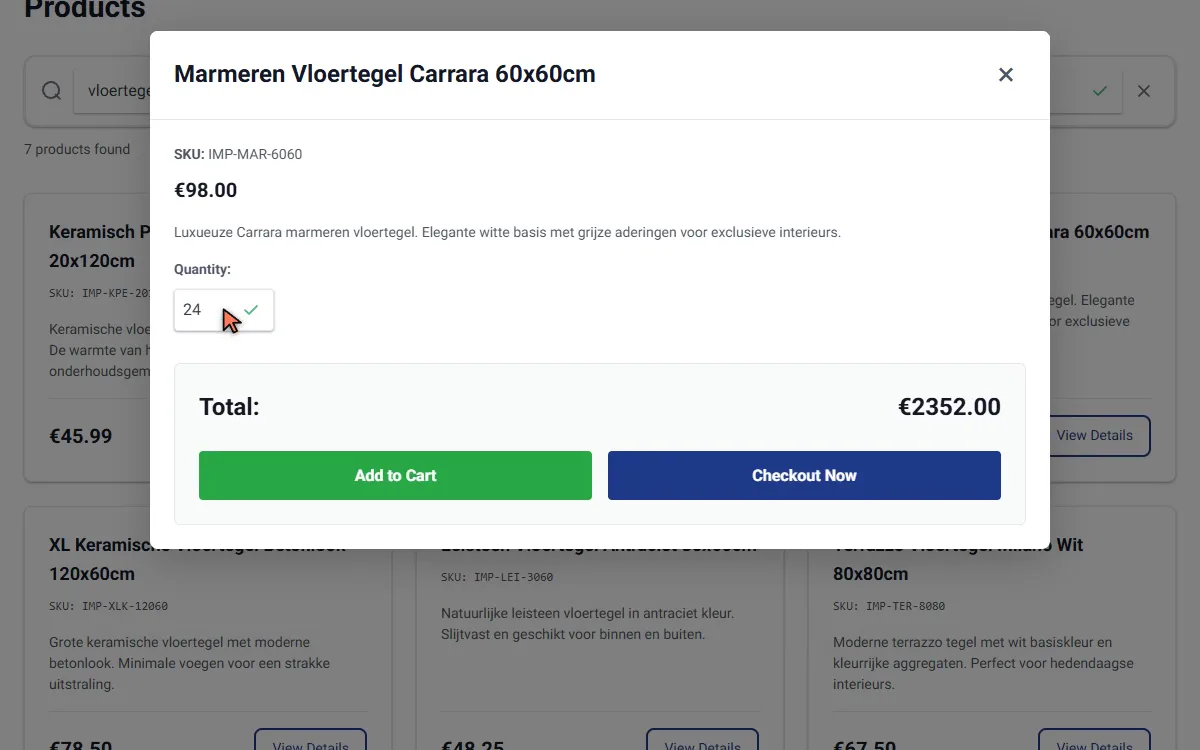
01 — Sell
Every cart a HubSpot record at checkout.
A shop on your HubSpot website, its products and prices from the HubSpot product library. The price is set by the server, not the browser — and at checkout the cart is created in HubSpot with its line items, before anyone pays.
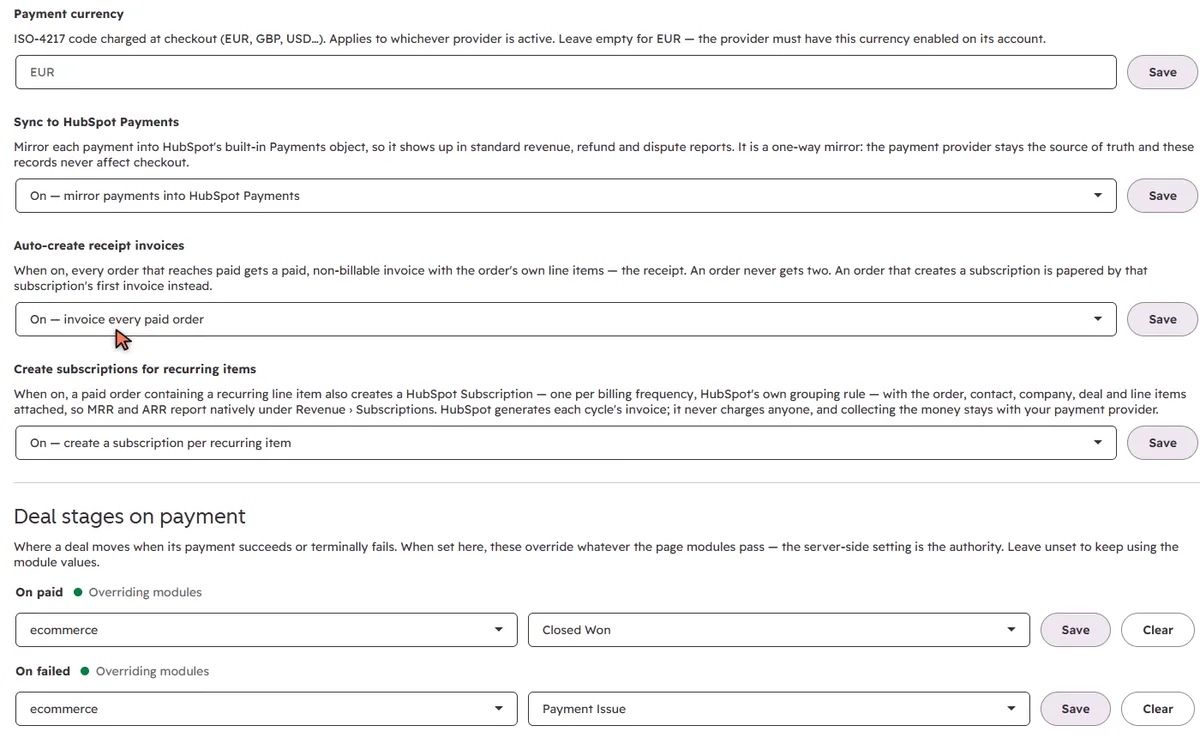
02 — Take the money
Paid orders can land in HubSpot Payments.
One payment provider takes the payments, chosen in the settings. When an order is paid, the payment can be copied into HubSpot Payments with a receipt invoice; a recurring line starts a HubSpot subscription.
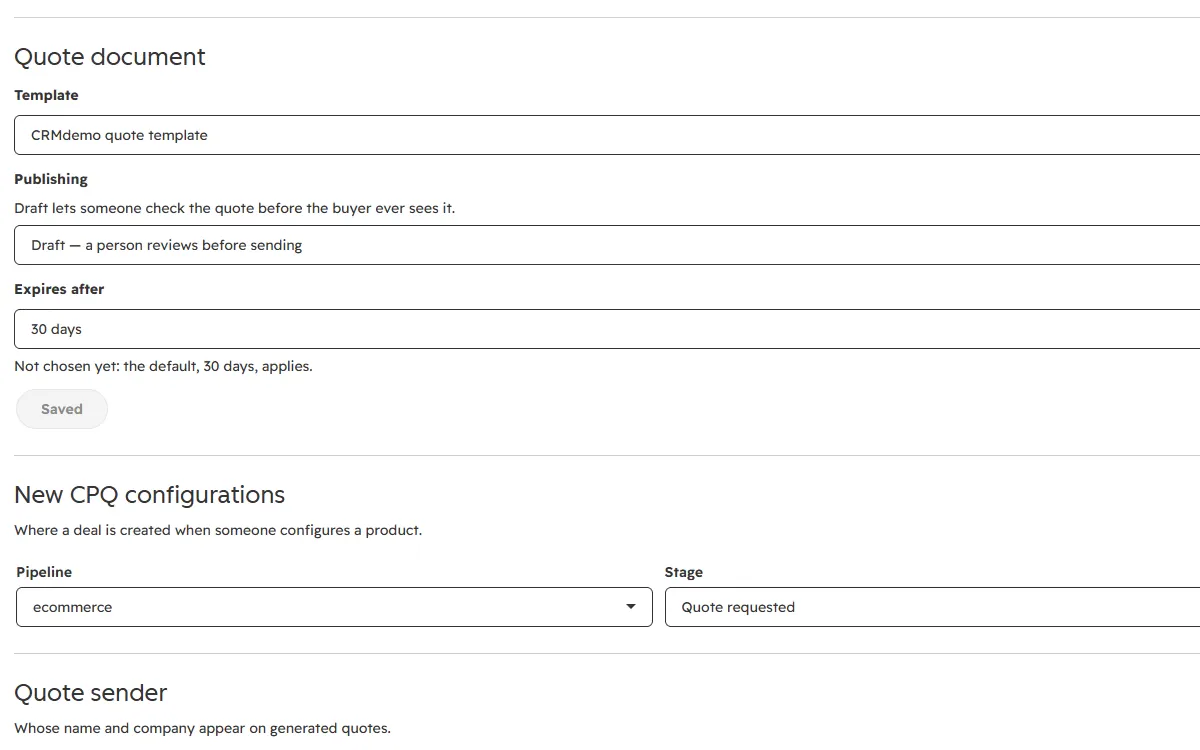
03 — Quote
Each quote can wait for a person's check.
Quotes come from one template, and can be set so that a person checks each one as a draft before the buyer sees it.
Payment providers: Mollie is verified against the live service; Stripe and Buckaroo are built and not yet verified live. An order with a recurring line gets no receipt invoice, by design.
03 Works with
Other apps take money through it.
The apps link to each other by themselves — nobody types an address, a key or a password — and both links ship switched off.
04 Where your data is
On HubSpot's own commerce records.
Commerce runs as HubSpot app functions in your own account and keeps its data on HubSpot's commerce objects. The buyer pays on the payment provider's page.
In your portal
- Products, line items, quotes, orders, carts, invoices and payments — HubSpot's own objects — plus a few custom objects for what HubSpot has no home for
- The payment provider's keys, stored encrypted and never shown again after saving
- A checkout cart can be read or changed only with its own token — on by default
Outside your portal
- The buyer pays on the payment provider's own hosted page
- The provider's payment notices pass through a relay on worksby.design's service, which forwards the payment id only and holds no credential
05 Who does what
Three parts, three owners.
worksby.design
Builds the app, publishes it and keeps it working as HubSpot's platform versions move.
Your HubSpot partner
Installs it on your portal, sets it up, adapts it where your process needs it, trains your team and supports you.
You
Own the portal and every record in it. The app's records stay in your CRM.
Ask your HubSpot partner about it.
Commerce is available through selected HubSpot partners, who install it on your portal, set it up with you and support it.
The reference at /docs/commerce covers the objects, the payment providers and how other apps buy through it. Facts on this page checked .